

Recent Post
“Why Your Business Website Matters: Design, Working Links, and SEO That Support Growth.”
Your website should help people discover your business, understand what you offer, and feel confident taking the next step.
For many potential customers, your website is their first introduction to your company. Before they schedule a consultation or request a service, they may explore your pages, compare your business with others, and decide whether your company feels like the right fit.
That makes your website an important part of your business’s overall presentation.
Its appearance should capture attention. Its information should answer questions. Its navigation should make exploring easy. Its links, forms, and scheduling options should help visitors connect with you.
At Business Network Technologies, we build websites around the business they represent. Different companies need different approaches, and the design should reflect their services, audience, and goals.
Two Businesses, Two Different Website Approaches
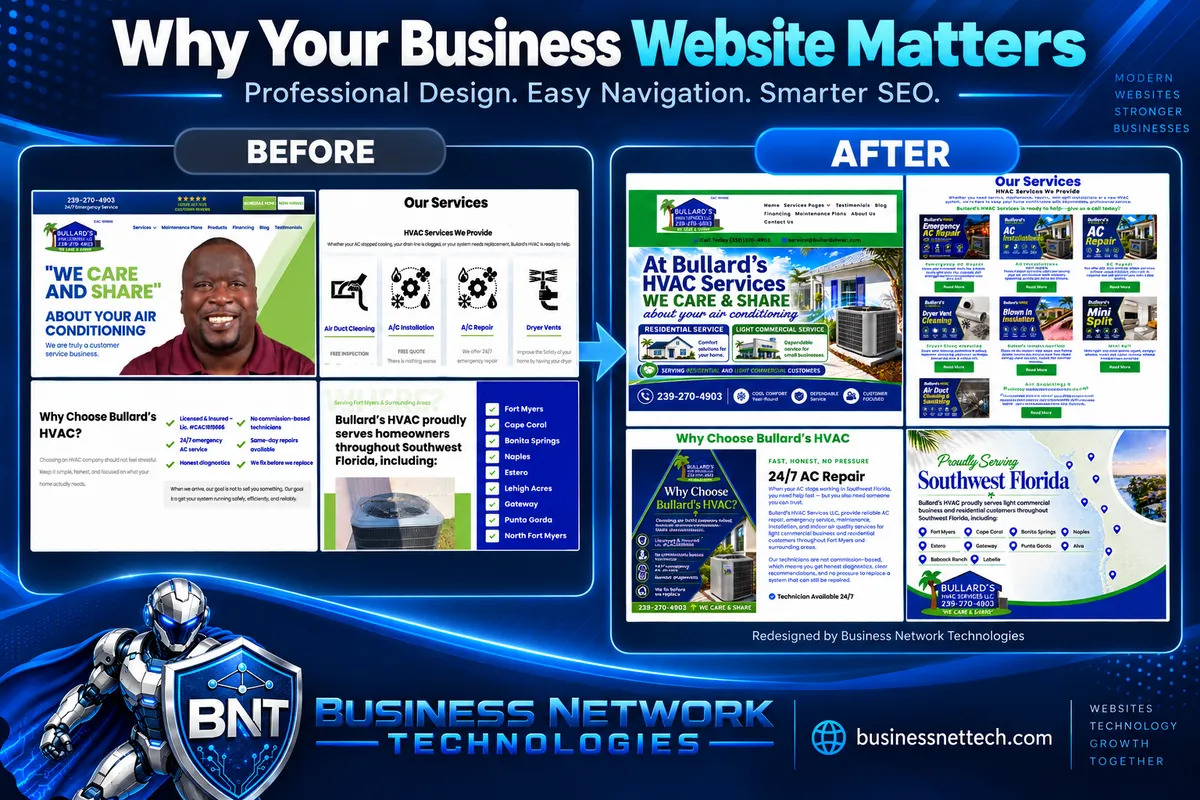
The before-and-after images show the website Business Network Technologies redesigned for Bullard’s HVAC.
The original website introduced the company through a personal photograph, service icons, and information about its approach and service areas. The redesign retained its recognizable blue and green branding while introducing a more visual presentation of its services.
For Bullard’s HVAC, we used an image-focused approach. Many of the graphics include service names, descriptions, and supporting messages within the images themselves. These graphics present offerings such as emergency AC repair, installations, dryer vent cleaning, insulation, mini-split systems, and air duct cleaning.
We also added image descriptions behind the scenes to provide context about the graphics.
For our own Business Network Technologies website, which we also designed and built, we used a combination of webpage text and supporting images. This approach gives us room to explain our services through written content while using visuals to reinforce the message.
These projects demonstrate different ways to present a business online. The important consideration is how well the complete website communicates with its intended audience and supports the customer’s next step.
Visual Appeal Should Reflect Your Business
A professional website should feel connected to the company behind it.
Consistent colors, recognizable branding, relevant images, and an organized layout help create that connection. A visitor should be able to move between pages without feeling as though they have entered a different website.
For a company with services that can be illustrated visually, custom graphics can help distinguish one offering from another. For services that require more explanation, written sections supported by images can give visitors the detail they need.
Bullard’s HVAC’s redesigned graphics place greater emphasis on individual services and its residential and light commercial customers. Our BNT website uses text and images together to explain our technology services and how they support businesses.
In both cases, the design should have a purpose. Every image, headline, and button should contribute to a clear message.
A visually impressive page still needs to help visitors understand what the company does and how to get assistance.
Understand the Role of Images and Image Descriptions
Images can communicate a great deal, especially when they combine branding, service information, and relevant visuals.
However, business owners should understand the distinction between words displayed inside an image and text placed directly on a webpage. They are different ways of delivering information, and they need to be considered when planning readability, accessibility, and search optimization.
Behind-the-scenes image descriptions should accurately describe the image. When used as alternative text, their purpose includes helping people understand meaningful visual content when they cannot see it.
These descriptions should be relevant and natural. They should not become long lists of repeated keywords or unrelated locations.
Image descriptions also should not be treated as a replacement for every detail contained in a text-heavy graphic. If an image carries essential service information, consider how visitors will access that information when the image is difficult to read or unavailable.
For an image-focused website, reviewing those details is especially important. For a website that combines text and images, the two should complement each other without unnecessary repetition.
The goal is to make the information useful to the people visiting the website.
Make the Most Important Information Easy to Find
Visitors arrive with practical questions.
They want to know what you offer, whether you serve their location, and how your business can help them. They may also want to understand what happens after they contact you.
Your website should answer those questions clearly.
A service page should provide enough information for someone to recognize whether the service fits their needs. Your company information should explain who you are and what customers can expect. Your contact or consultation page should make the next step straightforward.
Avoid assuming that everyone enters through the homepage. Someone may arrive directly on a service page from a search result, social media post, or referral link.
Each important page should provide enough context to be useful on its own.
Navigation Should Feel Simple and Familiar
A visitor should not need to work out how to use your website.
Clear menu labels, logically grouped services, and visible contact options help people move through the site comfortably. Buttons should communicate what happens when selected.
“Schedule a Consultation,” “View Our Services,” and “Learn About Maintenance Plans” give visitors a clear expectation.
The customer’s path should feel natural: find a relevant service, understand the offering, and take the next step.
A website with many services may need more detailed organization than a business with a single primary offering. The structure should reflect what customers need to find, rather than simply placing everything on one crowded page.
Every Link, Form, and Scheduling Option Must Work
Appearance can attract interest, but functionality determines whether a visitor can act on it.
A broken button, incorrect link, or failed form can interrupt a potential customer’s attempt to reach your business.
Regular website checks should confirm that:
· Navigation links lead to the correct pages.
· Service buttons open relevant information.
· Contact details are accurate.
· Forms submit successfully and deliver inquiries.
· Scheduling tools work and provide confirmation.
· Outdated page addresses lead to appropriate replacements.
Testing a form means checking more than the message displayed after submission. Someone should confirm that the inquiry reaches the correct destination and can be followed up.
Your website and your response process need to work together.
Mobile Readability Matters—Especially With Text in Images
A website needs to work well on the devices customers actually use.
An image that looks clear on a desktop monitor may become difficult to read on a phone, particularly when it contains several paragraphs or small labels.
For image-focused pages, check how each graphic appears on smaller screens. Visitors should be able to understand the main message without struggling to read tiny text. Where necessary, simplify graphics, adjust their presentation, or provide supporting webpage text.
For pages with separate text and images, check that the content rearranges properly and remains easy to follow.
Menus, buttons, and forms also need attention. Visitors should be able to navigate and schedule a consultation comfortably from their phones.
Review the actual mobile experience instead of relying only on a desktop preview.
What SEO Contributes to a Business Website
Search engine optimization helps connect your website’s content with the subjects and services potential customers are looking for.
A useful SEO approach considers the entire website, including page titles, headings, service information, image descriptions, page organization, and links between related content.
Image descriptions are one part of that work. They are not the whole strategy.
The foundation should be accurate, useful information about your business. Explain the services you provide, the customers you help, and the areas you genuinely serve.
Keywords should fit naturally within that information. Repeating the same phrase throughout a page does not make the content more helpful.
For businesses with several services, dedicated pages can provide space to address specific customer questions. Blog articles can explain common concerns, clarify options, and help visitors make informed decisions.
SEO is an ongoing process. It does not guarantee a particular ranking or a fixed number of inquiries. A professional approach includes reviewing results and making improvements based on what the business learns.
Help Visitors Feel Confident Taking the Next Step
Once someone reaches your website, they need reasons to trust your business.
Relevant project examples, authentic testimonials, accurate credentials, and clear explanations of your process can help them evaluate whether your company is suitable.
The before-and-after Bullard’s HVAC images show an example of our design work. Visitors can also explore our own Business Network Technologies website to see how we present our services using text and images together.
Examples give people something concrete to review. Clear explanations help them understand the thinking behind the work.
A call to action should then make it easy to continue the conversation. Visitors should know where to schedule, what they are requesting, and what to expect next.
When Should You Update Your Website?
Your website should stay aligned with your business.
Update it when services change, contact information changes, offers expire, or your company begins serving different customers or locations.
As a practical routine, check links, forms, and scheduling tools monthly. Review content and mobile usability quarterly. Periodically assess whether the overall design still reflects your business and supports its goals.
A larger redesign may be appropriate when:
· Your branding or services have changed significantly.
· Customers struggle to find important information.
· Text or graphics are difficult to read on mobile devices.
· The website is slow or unreliable.
· Routine updates have become difficult.
· The platform is outdated or no longer supported.
· The website does not support your current sales or consultation process.
Some websites need targeted improvements. Others need a more substantial rebuild. The decision should be based on their condition and the needs of the business.
Measure More Than Appearance
A website redesign produces a visible change, but business results need to be evaluated separately.
Useful measures may include consultation requests, completed forms, relevant inquiries, visits to service pages, and whether website leads become customers.
These measures help identify what is working and where visitors may need clearer information or an easier next step.
The objective is a website that looks professional and contributes to your business’s goals over time.
Explore What Business Network Technologies Can Build
Your website should represent your company with clarity, consistency, and care.
Business Network Technologies provides website design, website redesign, and SEO services. Our work includes the image-focused Bullard’s HVAC redesign and our own BNT website, which combines written content with supporting visuals.
Visit Business Network Technologies to explore the website we designed and built for our own business and schedule a consultation.
We’ll discuss your services, your audience, and how a website can better communicate your value and support your business goals.
Top Past Post
Click the images for more details.

Email Security Tips Every Business Should Know

10 Cybersecurity Mistakes Small Businesses Make—and How to Fix Them
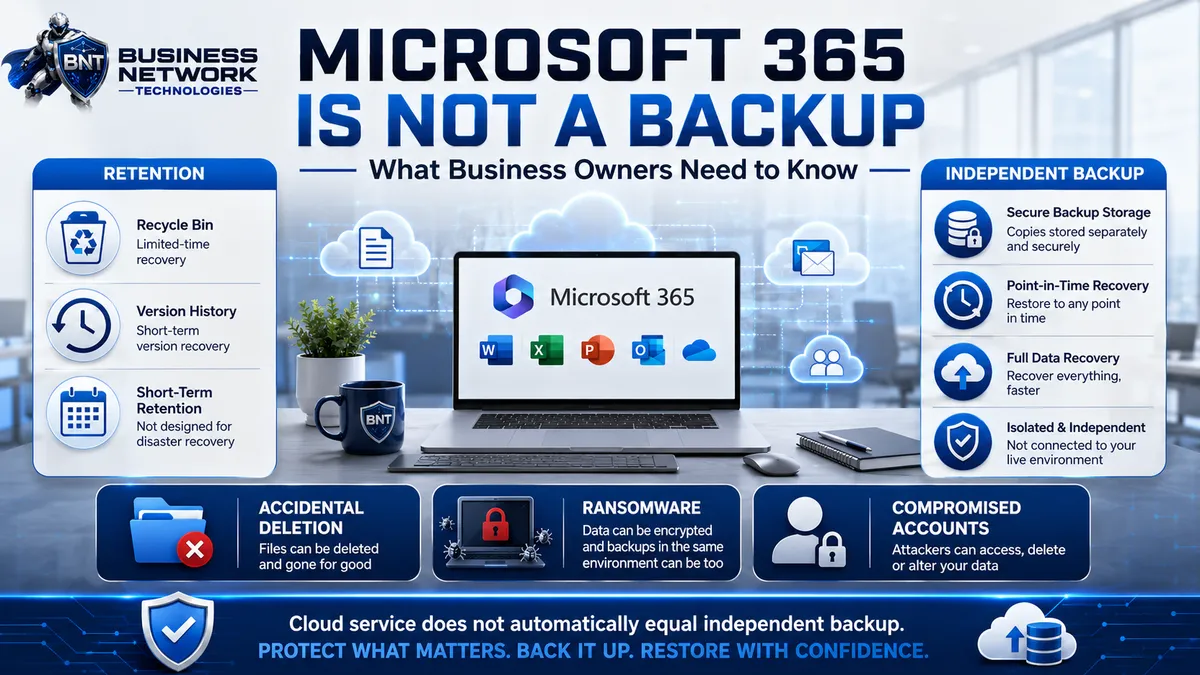
Microsoft 365 Is Not a Backup: What Business Owners Need to Know

Is Your Business Wi-Fi Putting Your Network at Risk?

What Does IT Compliance Actually Mean for a Small Business?
View More Blogs of Business Technology Tips
Sign Up For Our Blog
Business Technology Tips
Business Network Technologies (BNT) delivers expert managed IT services, cybersecurity solutions, cloud services, network management, IT optimization, data protection, and business technology support for small and growing businesses throughout Florida. Our Business Technology Tips provide practical guidance to help organizations strengthen cybersecurity best practices, improve network reliability, increase employee productivity, optimize IT systems, protect business data, and take advantage of secure cloud solutions. As a trusted Florida managed service provider (MSP), IT support company, cybersecurity provider, network technology company, and business technology consultant, BNT helps businesses reduce downtime, improve efficiency, protect against cyber threats, and build a stronger technology infrastructure. Follow Business Network Technologies Business Technology Tips for helpful information about cybersecurity, Microsoft 365, cloud computing, data backup, network security, computer support, IT management, business continuity, technology planning, and technology solutions for small businesses.

Business Network Technologies (BNT) appreciates every client and invites customers to share their experience by leaving a Google review. As a trusted managed IT services provider and business technology company in Florida, Business Network Technologies helps small and growing businesses with reliable IT support, managed services, cybersecurity, network management, Microsoft 365 solutions, data protection, computer support, cloud services, backup solutions, technology consulting, and proactive IT management. Customer Google reviews help BNT strengthen its online reputation while helping other businesses find a dependable local IT company, cybersecurity provider, managed service provider (MSP), network support company, and trusted IT partner. If Business Network Technologies has helped keep your business secure, productive, connected, and running smoothly, please take a moment to leave BNT a Google review and share your experience.

Business Network Technologies (BNT) values every customer and invites clients to leave a Facebook review about their experience with our professional IT services. As a trusted managed IT services and technology support company in Florida, BNT provides dependable business IT support, cybersecurity solutions, network management, Microsoft 365 services, data protection, computer support, and technology consulting for small and growing businesses. Your Facebook feedback helps Business Network Technologies build trust, strengthen our local reputation, and helps other businesses searching for a reliable IT company, managed service provider (MSP), cybersecurity provider, and business technology partner discover BNT. If you’ve had a great experience with our team, please take a moment to review Business Network Technologies on Facebook and share how our IT services have helped your business.

Business Network Technologies (BNT) provides professional managed IT services, cybersecurity solutions, computer support, network management, Microsoft 365 services, cloud solutions, data backup, business technology consulting, and website services throughout Cape Coral and Southwest Florida. From our Cape Coral, Florida service area, BNT supports businesses in Cape Coral, Fort Myers, North Fort Myers, Cypress Lake, Fort Myers Beach, San Carlos Park, Iona, Villas, Lehigh Acres, Punta Gorda, Bonita Springs, Naples, Port Charlotte, and North Port, Florida. Businesses searching for a dependable Cape Coral IT company, Fort Myers IT support provider, Southwest Florida managed service provider (MSP), cybersecurity company, network support company, computer services provider, or business technology partner can rely on Business Network Technologies for proactive and professional IT solutions. Contact BNT at (239) 284-8737 or [email protected] to schedule a no-cost IT risk evaluation or website consultation and discover how Business Network Technologies can help protect your systems, improve network reliability, strengthen cybersecurity, reduce technology risks, and support the growth of your Florida business.
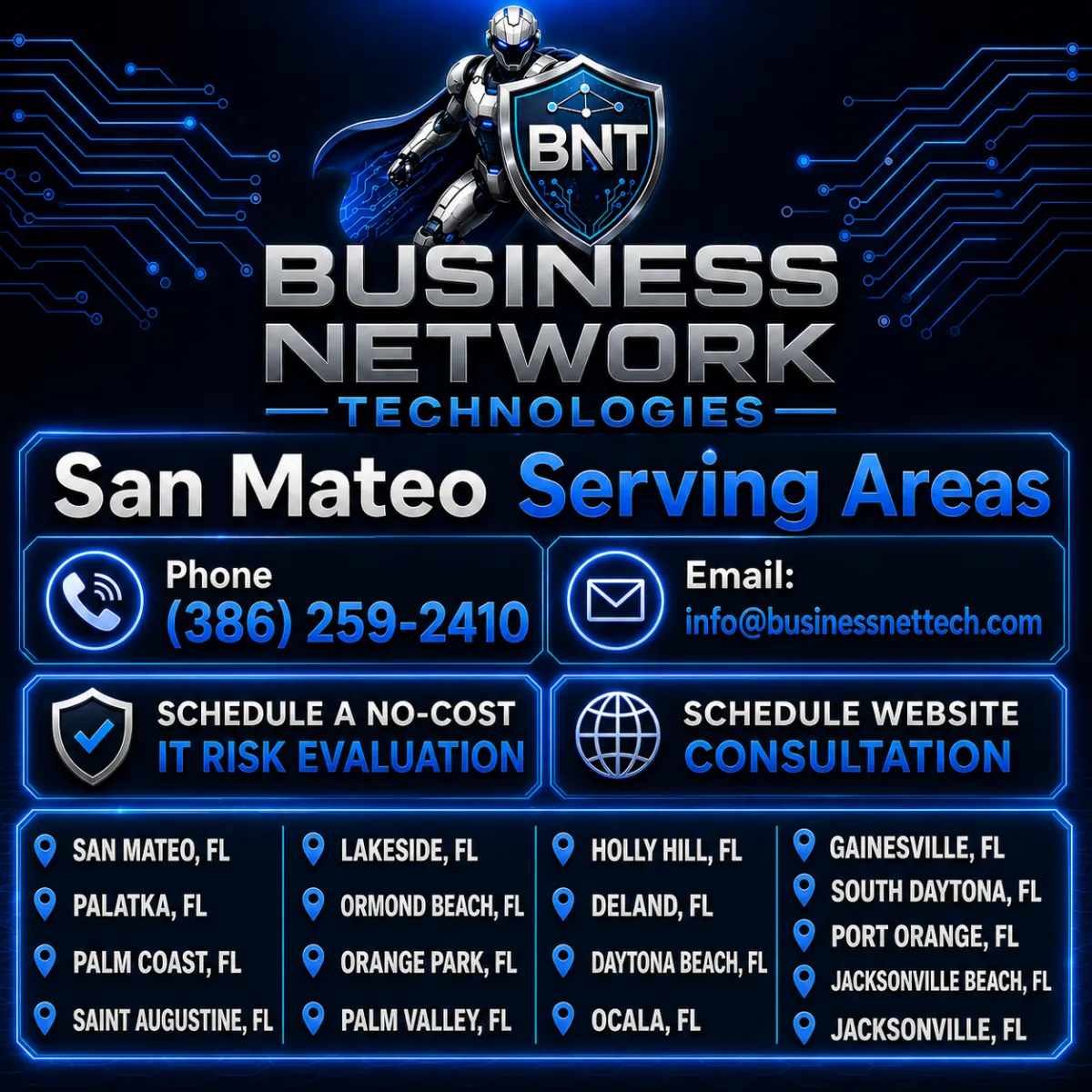
Business Network Technologies (BNT) provides professional managed IT services, cybersecurity solutions, network support, computer services, Microsoft 365 support, cloud solutions, data protection, and business technology consulting throughout the San Mateo, Florida service area. BNT proudly serves businesses in San Mateo, Palatka, Palm Coast, Saint Augustine, Lakeside, Ormond Beach, Orange Park, Palm Valley, Holly Hill, DeLand, Daytona Beach, Ocala, Gainesville, South Daytona, Port Orange, Jacksonville Beach, and Jacksonville, Florida. Businesses looking for a reliable Florida IT company, local managed service provider (MSP), cybersecurity provider, network support company, or technology consultant can contact Business Network Technologies at (386) 259-2410 or [email protected]. Schedule a no-cost IT risk evaluation to identify cybersecurity, network, backup, and technology vulnerabilities, or schedule a website consultation to learn how BNT can help improve your business technology, security, online presence, and long-term growth.
Schedule A Free IT Risk Evaluation
Business Network Technologies offers a Free IT Risk Evaluation to help identify common technology and security gaps before they become expensive.



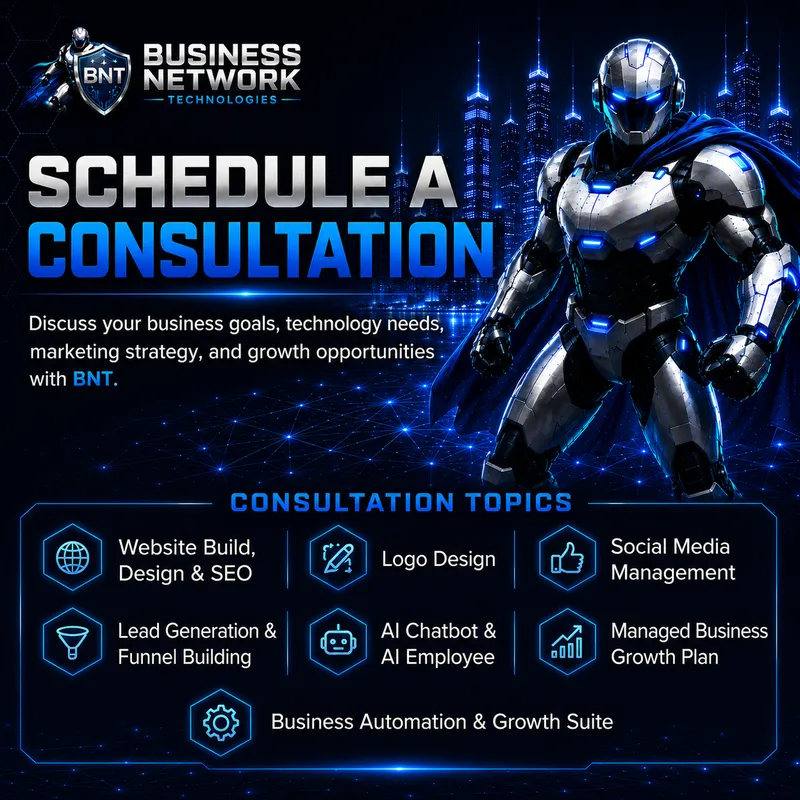
Schedule a Consultation
Business Network Technologies Offers Consultations for Website Build, Design & SEO, Logo Design, Social Media Management, Lead Generation & Funnel Building, AI Chatbot & AI Employee Services, Managed Business Growth Plans, and the Business Automation & Growth Suite.





Contact
Hours
Mon - Fri: 8AM - 5PM