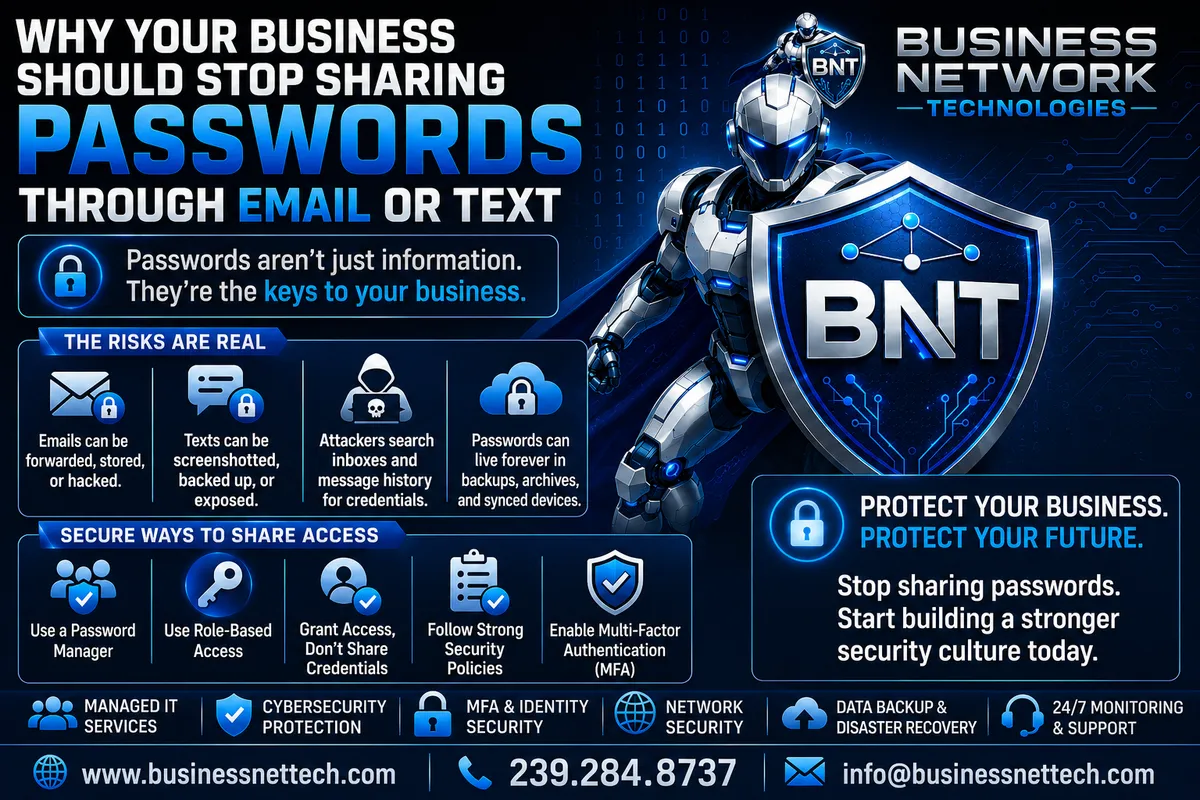
Why Your Business Should Stop Sharing Passwords Through Email or Text
Why Your Business Should Stop Sharing Passwords Through Email or Text
Passwords are still one of the most important keys to a business's technology.
They can provide access to:
Microsoft 365
Business email
Accounting software
Cloud applications
File storage
Customer databases
Remote-access systems
Social media accounts
Websites
Network equipment
Vendor portals
Financial systems
Yet many businesses still share passwords in one of the easiest ways imaginable:
Email or text message.
An employee needs access to an account, so someone sends:
Username: [email protected]
Password: Company2026!
It is quick.
It is convenient.
And it can create unnecessary cybersecurity exposure.
The problem is not simply whether the message is encrypted while traveling across the Internet. The larger problem is what happens before, during, and long after that message is sent.
A password sent through email or text can remain in inboxes, sent folders, phones, cloud backups, message histories, notifications, screenshots, and synchronized devices for months or even years.
For small and midsized businesses, improving password security and credential management does not have to be complicated.
A good place to start is simple:
Stop treating passwords like ordinary messages.
Why Sharing Business Passwords Is Different From Sharing Other Information
Employees communicate constantly.
They send addresses.
Phone numbers.
Meeting details.
Documents.
Customer information.
Instructions.
Links.
Passwords, however, are different.
A password is not merely information.
It is an access credential.
If someone obtains the password to a protected system, they may be able to impersonate an authorized employee.
Depending on the account, that could allow access to:
Business email
Company files
Financial information
Customer records
Cloud storage
Internal applications
Remote-access systems
Administrative tools
That means a password should be treated more like a digital key than an ordinary piece of information.
You probably would not make ten copies of the office master key, leave one in everyone's desk drawer, and keep another taped to the front door.
Businesses should use similar caution with digital credentials.
What Happens When You Send a Password Through Email?
Suppose a manager needs to give an employee access to a vendor portal.
The manager sends an email:
Subject: Vendor Login
Username: [email protected]
Password: ExamplePassword123!
The employee now has the password.
But so does the employee's mailbox.
And the manager's Sent Items folder.
The message may also exist in:
Mobile email applications
Desktop Outlook data
Microsoft 365 or another mail platform
Email archives
Backup systems
Compliance archives
Synchronized devices
Notification previews
Forwarded messages
If either email account is compromised later, the attacker may search old messages for useful information.
Passwords buried in old email threads can become valuable discoveries.
This is why business email security and password security are closely connected.
A compromised mailbox may expose more than today's email.
It may reveal years of stored information.
Cybercriminals Know People Email Passwords
Attackers do not necessarily need to read every email manually.
Once a mailbox is compromised, they may search it for terms such as:
Password
Login
Username
Credentials
Admin
VPN
QuickBooks
Microsoft 365
Wi-Fi
Bank
Server
An old message with the subject "New Server Password" can be extremely valuable to someone who has gained unauthorized mailbox access.
This is one reason businesses should avoid creating searchable archives of sensitive credentials.
Text Messages Create Similar Problems
Texting passwords can feel safer because it seems more personal.
Instead of emailing the password, someone may say:
"I'll just text it to you."
That does not eliminate the underlying problem.
The password can still remain on:
The sender's phone
The recipient's phone
Tablets
Computers synchronized with messaging
Cloud message backups
Lock-screen notifications
Screenshots
Message history
Traditional SMS also does not provide the same security properties as modern end-to-end encrypted messaging platforms.
But even when a messaging platform does use strong encryption, another problem remains:
The credential may still be permanently stored at each endpoint.
Encryption protects data in transit.
It does not prevent someone who gains access to the phone or messaging account from reading the stored conversation.
Encryption Does Not Solve Every Password-Sharing Problem
This distinction is important.
Many modern email providers use encryption while messages travel between servers.
Some messaging applications provide end-to-end encryption.
Those protections are valuable.
But they do not automatically make a conversation an appropriate password vault.
Imagine an email containing a password was transmitted securely.
Six months later, an attacker successfully compromises the recipient's Microsoft 365 account.
The attacker can now potentially search the mailbox.
The original transmission may have been encrypted perfectly.
That does not matter much if the password is sitting in the inbox waiting to be discovered.
Security therefore has to consider the entire credential lifecycle, not just how the password traveled from one person to another.
Passwords Sent Through Email Can Live for Years
People rarely clean their email thoroughly.
A password emailed in 2024 may still exist in 2026.
It may survive:
Computer replacements
Phone upgrades
Employee transitions
Mailbox migrations
Microsoft 365 migrations
Backup cycles
Archive systems
The sender may have forgotten the message even exists.
That creates what could be called credential residue.
Sensitive credentials remain scattered throughout systems long after the original reason for sharing them has disappeared.
A secure password management strategy is designed to avoid that problem.
Forwarding Makes the Problem Worse
Email is designed to be shared.
One click can forward a message containing a password to another person.
Then that person forwards it again.
Eventually, nobody knows exactly where the credential exists.
For example:
Owner → Office Manager → Employee → Outside Vendor
Now four or more mailboxes may contain the password.
If the password later needs to be changed or access removed, the old copies still remain.
That is very different from granting controlled access through a properly managed account or password management system.
Screenshots Can Create Another Permanent Copy
Employees sometimes receive a password by text and then take a screenshot.
Now another copy exists.
That screenshot might automatically synchronize to:
iCloud
Google Photos
OneDrive
Another photo backup service
A single password can quickly spread across several systems without anyone intentionally deciding to store it there.
This is why businesses should focus on secure credential management, not simply finding a slightly different communication channel.
Shared Passwords Also Create an Accountability Problem
Imagine five employees share one login:
Everyone knows the password.
Something changes inside the account.
Who did it?
It may be difficult to know.
That becomes especially important with:
Accounting systems
Administrative portals
Cloud applications
Customer databases
Financial platforms
Network equipment
Business email
Individual accounts provide much better accountability.
If Sarah has her own account and John has his own account, access can be managed independently.
If Sarah leaves the company, her account can be disabled without affecting John.
That is significantly better than changing one shared password and then texting the replacement to everyone.
Individual User Accounts Are Better Than Shared Credentials
Whenever the application supports it, employees should generally have their own user accounts.
Instead of:
Accounting Login
used by four people,
use:
Sarah's Account
John's Account
Maria's Account
David's Account
Each person receives only the access required for their job.
This improves:
Security
Accountability
Access control
Auditing
Employee offboarding
MFA deployment
Password management
It also aligns with the cybersecurity principle of least privilege.
Employees should receive the access they need—not one shared account that potentially provides everyone with the same permissions.
Shared Passwords Become a Bigger Problem When Employees Leave
Employee offboarding provides a good example.
Suppose six employees know the password to a shared vendor account.
One employee leaves the company.
Does that employee still know the password?
Yes.
The business may need to change it.
Then the new password has to be distributed to the remaining five employees.
If the business uses email or text, another round of password messages begins.
Six months later, someone else leaves.
Repeat the entire process.
A properly designed account and access-management strategy makes this much easier.
Individual accounts can simply be disabled when employees leave.
Password Reuse Makes Shared Credentials Even More Dangerous
Another major concern is password reuse.
An employee may receive a shared password such as:
Summer2026!
Then decide it is easy to remember.
They begin using the same password somewhere else.
Perhaps on:
Another business application
A personal website
A shopping account
A social media account
If one of those services experiences a data breach, that password may become exposed.
Cybercriminals can then attempt the same credentials against other systems.
This is known as credential stuffing.
A password should therefore be:
Long.
Unique.
Never reused across unrelated accounts.
Sharing passwords manually makes those rules harder to enforce.
Stolen Credentials Can Lead to Business Email Compromise
Business email accounts are particularly important.
If an attacker gains access to a business mailbox, they may attempt to:
Read confidential conversations
Search for passwords
Find invoices
Review payment instructions
Learn how the company operates
Impersonate an employee
Send phishing emails
Change mailbox rules
Redirect messages
Request fraudulent payments
This is commonly associated with Business Email Compromise, or BEC.
A password stored in an email thread can therefore create another path for an attacker who has already compromised one mailbox.
Instead of compromising one account, they may discover credentials that help them reach additional systems.
Never Send Passwords and MFA Codes Together
Multi-factor authentication is designed to add another security barrier beyond the password.
That benefit can be reduced if users send everything through the same channel.
For example:
Username:[email protected]
Password: ExamplePassword!
MFA backup code: 472938
Sending all three pieces of information in one message concentrates the credentials in one place.
Similarly, employees should never send unexpected MFA approval codes to someone merely because that person asks.
MFA codes should be treated as sensitive authentication information.
If someone calls, texts, or emails saying:
"I need the code that just appeared on your phone,"
the employee should verify the request through an approved process.
Attackers frequently rely on social engineering, not just technical hacking.
A Legitimate IT Provider Should Not Need Your Everyday Password
Businesses should also establish clear expectations with IT support.
Employees sometimes assume:
"IT needs my password to fix my computer."
Sometimes specific systems or temporary troubleshooting situations may require credentials.
But routine technical support should not depend on employees constantly emailing their everyday passwords.
A managed IT environment can often use:
Administrative accounts
Remote management tools
Role-based permissions
Temporary access
Reset procedures
Privileged access controls
rather than collecting employee passwords.
This reduces unnecessary credential exposure.
Password Managers Provide a Better Solution
One of the most practical alternatives to emailing or texting passwords is a business password manager.
A password manager can securely store credentials in an encrypted vault.
Depending on the product, businesses may be able to:
Generate strong passwords
Store credentials securely
Share credentials with authorized employees
Organize passwords
Revoke access
Separate personal and business credentials
Control who can access specific passwords
Audit password access
Protect vault access with MFA
Instead of telling an employee:
"I'll email you the password."
the company can grant the employee controlled access through the password management platform.
That keeps the credential out of ordinary communications.
Password Managers Also Make Strong Passwords Easier
One reason people use weak passwords is simple:
They have too many passwords to remember.
So they create passwords such as:
Company2026!
or
Welcome123!
Then reuse them repeatedly.
A password manager reduces the need to memorize every credential.
The password can instead be something long and randomly generated, such as:
x7#Jp9!Qv2$Lm8@Rt4
The employee does not necessarily need to memorize it.
The password manager stores it securely.
That makes it much easier to use unique passwords for every account.
Secure Sharing Is Different From Copying a Password Into a Message
This distinction matters.
Suppose three employees need access to a shared vendor account that unfortunately does not support individual users.
A password manager may allow the company to place that credential inside a shared business vault.
Authorized users receive access to that vault.
If someone leaves:
Remove their vault access.
The business does not have to search old emails or wonder who has screenshots of the password.
Some password management platforms can also restrict how credentials are viewed or used, depending on their capabilities.
That is far more manageable than distributing credentials through ordinary messages.
What If an Application Does Not Support Individual Accounts?
Unfortunately, some applications still provide only one shared login.
If the business must share that credential, the goal should be to manage it carefully.
Use:
A reputable business password manager
A long, randomly generated password
MFA where available
Limited access
Regular access reviews
Documented ownership of the account
Immediate password changes when appropriate
Avoid posting the password in:
Email threads
Group chats
Shared spreadsheets
Word documents
Sticky notes
Help desk tickets
Unsecured text files
The fact that a password must be shared does not mean it should be shared everywhere.
Shared Spreadsheets Are Not a Password Manager Either
Some businesses realize email is not ideal and create a spreadsheet called:
Company Passwords.xlsx
Then store:
Website | Username | Password |
Banking | Password123 | |
Vendor | Welcome1 | |
Social Media | Company2026 |
That may look organized.
But organization is not the same thing as security.
If the spreadsheet is accessible to numerous employees—or someone compromises the location where it is stored—the attacker may receive an entire directory of company credentials at once.
Business passwords belong in a system designed specifically for secure credential storage and access management.
Sticky Notes Have the Same Basic Problem
Technology is not always the problem.
Sometimes passwords are written on:
Sticky notes
Notepads
Desk calendars
Whiteboards
Labels attached to monitors
These may avoid electronic interception, but they create physical exposure.
Cleaning staff.
Visitors.
Vendors.
Former employees.
Customers.
Anyone with access to the workspace may potentially see them.
Good password security requires both digital and physical protection.
IT Documentation Should Not Contain Unprotected Passwords
IT documentation is important.
Businesses should document:
Servers
Firewalls
Network equipment
Internet providers
Applications
Backup systems
Vendors
Licensing
Recovery procedures
But highly sensitive credentials should be protected appropriately.
A document named:
NETWORK PASSWORDS.docx
sitting in a broadly accessible shared folder creates unnecessary risk.
IT documentation and credential storage should be handled deliberately.
What About Temporary Passwords?
Sometimes an administrator needs to create a temporary password for a new employee.
A better process is:
Administrator creates temporary credential → Employee receives controlled access → Employee changes password → MFA is configured
The temporary password should not remain valid indefinitely.
Where supported, require the user to change it during the first sign-in.
The objective is to minimize how long an administrator-generated credential remains usable.
Password Reset Links Are Better Than Sending Existing Passwords
Many services provide password-reset functionality.
That is usually preferable to someone saying:
"I know your password. I'll send it to you."
A properly designed system should not require administrators to know every employee's password.
Instead:
Reset the account.
Provide temporary access using the approved method.
Allow the employee to create their own password.
This reduces the number of people who know the credential.
Businesses Should Know Who Has Access to Important Accounts
Another important cybersecurity question is:
Who currently has access to our critical systems?
Many businesses cannot answer confidently.
An old employee may still have access.
A former vendor may still know a shared password.
A marketing contractor may still have the company's social media credentials.
An accountant may have credentials to an application they no longer manage.
A strong identity and access management strategy includes periodic reviews of:
Active users
Shared credentials
Administrator accounts
Vendor access
Remote access
Cloud applications
Microsoft 365 accounts
Password vault permissions
Access should change when business responsibilities change.
Former Vendors Should Not Keep Permanent Credentials
Businesses frequently give outside vendors credentials for:
Websites
Firewalls
Servers
Marketing platforms
Domain registrars
Cloud applications
Accounting systems
Then the vendor relationship ends.
Nobody changes the password.
Years later, those credentials may still work.
Whenever possible, vendors should receive their own accounts rather than sharing the owner's primary credentials.
When the relationship ends:
Disable the account.
Remove access.
Rotate shared credentials if necessary.
A password should not become permanent access simply because someone needed it once.
Administrative Passwords Need Even Stronger Protection
Not every password carries the same risk.
The password to a newsletter application is important.
The password to a firewall administrator account may be significantly more sensitive.
Administrative credentials may provide control over:
Microsoft 365
Servers
Firewalls
Domains
Backups
Network equipment
Security systems
User accounts
These credentials deserve additional controls.
Businesses should consider:
Dedicated administrator accounts
Strong unique passwords
MFA
Restricted usage
Secure password vaults
Access logging
Limited personnel access
Regular account reviews
Administrative passwords should never be casually distributed through group emails or text messages.
Protect the Password Manager Too
Moving passwords into a password manager is a major improvement—but the password manager itself becomes important.
Its master account should be strongly protected.
Businesses should use:
A strong master password or passphrase
Multi-factor authentication
Individual employee accounts
Appropriate permissions
Prompt employee offboarding
A password vault containing dozens or hundreds of business credentials is valuable.
Treat access accordingly.
MFA Makes Password Security Stronger
Even excellent passwords can sometimes become compromised.
That is why businesses should enable multi-factor authentication wherever practical.
MFA requires another form of verification beyond the password.
Depending on the platform, that may involve:
Authenticator applications
Security keys
Passkeys
Device-based authentication
Other approved authentication methods
The goal is simple:
If an attacker steals the password, the password alone should not automatically provide access.
MFA is particularly important for:
Microsoft 365
Business email
Password managers
VPN accounts
Administrative accounts
Financial systems
Remote access
Cloud applications
Passkeys Are Also Changing Business Authentication
Passwords are gradually becoming less central to authentication.
Technologies such as passkeys can allow supported systems to authenticate users without requiring a traditional reusable password.
Passkeys can also provide stronger resistance to common phishing techniques because authentication is tied more closely to the legitimate service.
Not every business application currently supports passkeys, so passwords are not disappearing immediately.
But businesses should expect authentication practices to continue moving toward:
Passwordless authentication
MFA
Device-based verification
Passkeys
Identity-based access controls
This makes modern identity security increasingly important.
Password Security Is Really Identity Security
It is easy to think of passwords as an IT inconvenience.
But passwords are actually part of a larger security problem:
Identity protection.
Modern attackers frequently target user accounts rather than attacking the company firewall directly.
Why?
Because stealing a legitimate employee's identity can allow an attacker to appear authorized.
If the criminal successfully logs in as an employee, many security systems may initially see:
Valid username.
Correct password.
That is why businesses should combine strong password practices with:
MFA
Sign-in monitoring
Endpoint security
Email security
Least privilege
Account auditing
Zero Trust principles
Secure access controls
Protecting business identities is now a major part of cybersecurity.
A Simple Example of Better Password Sharing
Consider two businesses.
Business A
The owner needs three employees to access a vendor portal.
They send an email:
Vendor login
Username: [email protected]
Password: Summer2026!
The email remains in four mailboxes.
One employee forwards it to another employee.
Someone screenshots it.
A former employee still has the message on an old phone.
Nobody remembers exactly who knows the password.
Business B
The organization stores the vendor credential in its business password manager.
Three authorized employees receive access.
MFA protects the password manager.
One employee leaves the company.
Their password-manager account is disabled.
Access disappears.
Business B has much greater control over the credential.
That is what good credential management should accomplish.
What Should You Do If Passwords Have Already Been Shared Through Email?
Do not panic.
Many businesses have done this.
Instead, start cleaning up the process.
For important credentials that have been repeatedly distributed through email or text:
Identify the affected accounts.
Determine who currently needs access.
Change passwords where appropriate.
Create strong, unique replacement passwords.
Enable MFA where supported.
Move shared credentials into a secure business password manager.
Create individual accounts whenever possible.
Remove access for former employees and vendors.
Review administrative permissions.
Establish a company password-sharing policy.
You do not need to fix every credential in one afternoon.
Start with the highest-risk accounts.
Which Passwords Should You Protect First?
Prioritize credentials that provide access to critical systems.
Start with:
Microsoft 365 administrator accounts
Business email
Banking and financial systems
Accounting software
Password managers
Domain registrar accounts
Website administration
Firewalls
Servers
Backup systems
VPN accounts
Remote-access platforms
Cloud applications containing sensitive information
Then continue working through less critical accounts.
This creates a practical business password security improvement plan.
Create a Company Password Policy
Employees need clear instructions.
A basic business password policy might state:
Do not send passwords through ordinary email or text messages.
Do not reuse business passwords on personal accounts.
Do not store passwords in unsecured spreadsheets or documents.
Use the company's approved password manager.
Use individual accounts whenever available.
Enable MFA where required.
Never provide MFA codes to unsolicited callers or messages.
Report suspected credential exposure immediately.
Simple rules are much easier for employees to follow than vague instructions to "be secure."
Employee Cybersecurity Training Matters
Technology controls are only part of the solution.
Employees need to understand why password sharing creates risk.
If the company simply tells employees:
"Don't email passwords."
someone will eventually ask:
"Then how am I supposed to give this person access?"
Employees need an approved alternative.
Training should explain:
How to use the company password manager
How to request account access
When individual accounts should be created
How MFA works
How to identify suspicious credential requests
What to do if a password may have been exposed
Who to contact for help
Good security should provide a secure process—not simply prohibit the insecure one.
What If Someone Accidentally Emails a Password?
Mistakes happen.
If a sensitive business password is accidentally sent through email or text, consider the importance of the account.
For a high-risk credential, the safest response may be to change or rotate the password rather than assuming deleting the message removes every copy.
Remember:
Deleting it from one mailbox may not delete it from:
The recipient's mailbox
Backups
Archives
Synchronized devices
Screenshots
Forwarded messages
Once a credential has been unnecessarily exposed, replacing it can eliminate the value of the old copy.
Never Assume "Nobody Would Want Our Passwords"
Small businesses sometimes believe attackers are interested only in large corporations.
Cybercriminals frequently use automated tools.
They may not care whether an organization has 10 employees or 10,000.
A compromised account can still be valuable for:
Fraud
Spam
Phishing
Business email compromise
Credential theft
Data theft
Ransomware
Financial scams
Small businesses should therefore treat credential protection as a basic cybersecurity responsibility.
Secure Password Sharing Checklist for Small Businesses
Review how your organization currently handles credentials:
Are employees emailing passwords?
Are passwords being sent through text messages?
Are passwords stored in spreadsheets?
Are passwords stored in Word documents?
Are employees writing passwords on sticky notes?
Are credentials reused across multiple systems?
Are shared accounts being used when individual accounts are available?
Do former employees still know active passwords?
Do former vendors still have access?
Is MFA enabled on critical systems?
Does the business use a password manager?
Does each employee have an individual password-manager account?
Are administrative credentials protected separately?
Are account permissions reviewed periodically?
Are passwords changed when exposure is suspected?
Do employees know how to securely request or share access?
Every improvement reduces unnecessary credential exposure.
Password Sharing Should Be Controlled, Not Convenient
There is always tension between convenience and security.
Emailing a password takes ten seconds.
Creating individual accounts, configuring a password manager, enabling MFA, and managing permissions takes more planning.
But the easiest method is not always the safest.
Businesses should think about what happens if the message containing that password falls into the wrong hands.
The real question is not:
"Is emailing this password convenient?"
The better question is:
"Do we have a secure way to provide this person the access they need without unnecessarily exposing the credential?"
That is a much stronger approach to business cybersecurity.
Why Your Business Should Stop Sharing Passwords Through Email or Text
Passwords provide access to some of the most important systems in your organization.
They should not be treated like ordinary conversation.
Sending credentials through email or text can create unnecessary copies that remain in:
Inboxes.
Sent folders.
Phones.
Cloud backups.
Message histories.
Screenshots.
Synchronized devices.
If one of those locations is later compromised, an attacker may discover credentials that were shared months or years earlier.
A stronger approach is to use:
Individual user accounts
A business password manager
Strong unique passwords
Multi-factor authentication
Least-privilege access
Secure employee offboarding
Regular access reviews
Proper administrative account management
Password security should not depend on hoping an old email never falls into the wrong hands.
Build Better Business Password Security
Cybersecurity often improves through relatively simple changes.
Stopping employees from emailing and texting passwords is one of them.
The goal is not merely to hide passwords better.
The goal is to build a secure credential management system that controls who has access, reduces unnecessary password exposure, protects business identities, and makes access easier to remove when employees or vendors no longer need it.
Business Network Technologies (BNT) helps small and midsized businesses strengthen business password security, Microsoft 365 security, multi-factor authentication, endpoint security, managed antivirus, EDR, email security, dark web monitoring, managed IT services, business backups, secure remote access, and cybersecurity management.
Because when a password protects your business, it should be managed like a security credential—not sent like an ordinary message.
Business Technology Tips from Business Network Technologies
Technology does not have to be confusing. Follow Business Network Technologies' Business Technology Tips for practical information about password security, secure credential sharing, password managers, MFA, Microsoft 365 security, identity protection, cybersecurity, email security, managed IT services, endpoint protection, business backups, and network security designed to help small and midsized businesses stay secure, productive, and prepared.