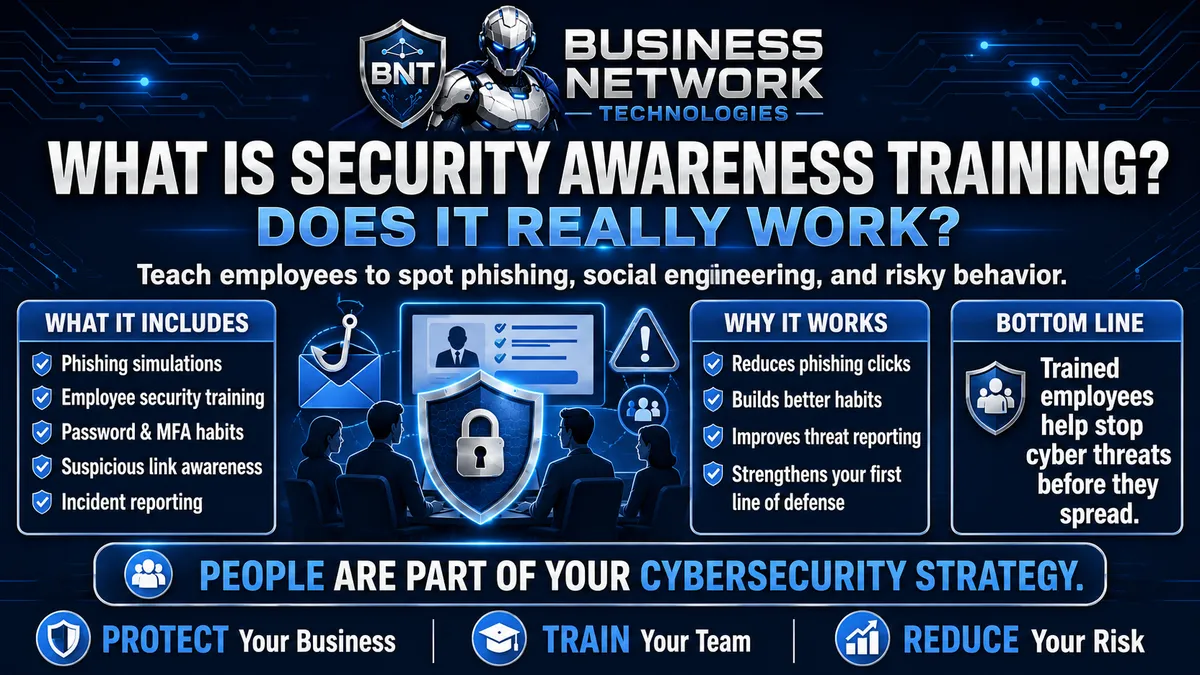
What Is Security Awareness Training and Does It Really Work?
What Is Security Awareness Training and Does It Really Work?
Cybersecurity is often associated with technology.
Firewalls.
Antivirus.
Endpoint Detection and Response.
Multi-factor authentication.
Email security.
Backups.
Patch management.
All of those protections are important.
But there is another part of cybersecurity that businesses cannot ignore:
The people using the technology.
Cybercriminals know that attacking an employee can sometimes be easier than attacking a firewall.
Instead of trying to break into a company's network directly, an attacker may simply send an employee an email that appears to come from Microsoft, a bank, a vendor, a customer, or even the company's owner.
If the employee clicks the link, enters their password, opens a malicious attachment, approves an unexpected MFA request, or sends sensitive information, the attacker may gain the access they were looking for.
That is why security awareness training has become an important part of small business cybersecurity.
Security awareness training teaches employees how to recognize cybersecurity threats, understand common attack techniques, and make better security decisions during their everyday work.
When combined with phishing simulations, practical employee education, strong security policies, and ongoing reinforcement, security awareness training can help turn employees from an easy target into an important layer of defense.
But does it really work?
It can—but only when businesses treat security awareness as an ongoing process rather than a once-a-year training video.
What Is Security Awareness Training?
Security awareness training is cybersecurity education designed to help employees recognize and respond appropriately to common digital threats.
The goal is not to turn employees into cybersecurity experts.
Employees do not need to understand malware reverse engineering, firewall architecture, or advanced network security.
They do need to understand the threats they are most likely to encounter.
That may include:
Phishing emails
Fake Microsoft 365 login pages
Malicious attachments
Password theft
Business Email Compromise
Social engineering
Fake invoices
Fraudulent payment requests
QR-code phishing
Text-message scams
MFA fatigue attacks
Suspicious links
Impersonation attempts
Unsafe downloads
Password reuse
Sensitive data handling
Good employee cybersecurity training focuses on realistic situations employees may actually encounter during their workday.
Why Do Cybercriminals Target Employees?
Businesses invest significant effort into protecting their technology.
A company may have:
A business firewall
Managed antivirus
EDR
Email filtering
Microsoft 365 security
Multi-factor authentication
Network monitoring
Secure backups
Instead of attacking those systems directly, a criminal may try another approach:
Convince an employee to give them access.
That is the foundation of many social engineering attacks.
Social engineering focuses on manipulating people instead of directly defeating technology.
An attacker may attempt to create:
Urgency
Fear
Curiosity
Authority
Confusion
Trust
Financial pressure
The message is designed to make the employee react before thinking.
A Simple Example of Social Engineering
Imagine an employee in accounting receives this email:
From: CEO
Subject: Urgent Payment Needed
I'm in a meeting and need this handled immediately. Please send a wire transfer to the attached banking information. Don't call me because I can't talk right now.
The message may look legitimate.
It may even use the CEO's name and company information.
The attacker is relying on several psychological techniques:
Authority:
The message appears to come from the owner.
Urgency:
The payment must happen immediately.
Pressure:
The employee feels they must act quickly.
Isolation:
The attacker says not to call.
Security awareness training helps employees recognize those warning signs.
Instead of immediately sending the money, the employee learns to verify the request using an established company procedure.
That single habit can prevent a major financial loss.
What Is Phishing?
Phishing is one of the most common forms of social engineering.
A phishing message attempts to convince someone to:
Click a malicious link
Enter credentials
Download a file
Open an attachment
Send sensitive information
Transfer money
Approve an authentication request
Phishing emails may pretend to come from:
Microsoft
Google
Banks
Shipping companies
Vendors
Customers
Coworkers
Executives
Government agencies
Payroll providers
Cloud applications
The message often looks legitimate enough to create doubt.
That is intentional.
The attacker does not need every employee to fall for the message.
They may only need one.
What Is a Phishing Simulation?
A phishing simulation is a controlled test in which employees receive a safe, simulated phishing email.
The purpose is educational.
For example, employees may receive a message that appears to say:
Your Microsoft 365 password expires today. Click here to keep your account active.
The email contains warning signs similar to those found in real phishing attacks.
If an employee clicks the simulated link, no actual malware is installed and their real credentials should not be stolen.
Instead, the employee may receive immediate educational feedback explaining what they missed.
The business can then measure how employees respond.
What Does a Phishing Simulation Test?
A phishing simulation may evaluate whether employees:
Open the message
Opening an email by itself is generally not the same as interacting with malicious content, but it can still provide information about engagement.
Click the link
This can indicate that an employee did not recognize the warning signs.
Attempt to enter information
A simulation may test whether someone would have submitted credentials or other information.
Report the message
This is an especially valuable behavior.
Employees should learn not only to avoid suspicious messages but also to report them quickly.
That gives the IT or security team an opportunity to investigate and potentially warn other employees.
Phishing Simulations Should Be Used for Education, Not Embarrassment
A phishing simulation should not become a game of:
"Let's catch employees doing something wrong."
That approach can create fear and discourage reporting.
Employees who believe they will be punished every time they make a mistake may hide incidents instead of reporting them.
That is dangerous.
A much better objective is:
Identify where additional training is needed and improve employee behavior over time.
If someone clicks a simulated phishing email, the response should usually involve education.
Show them:
What warning signs were present
Why the message was suspicious
How they could have verified it
What they should do next time
The goal is improvement.
Does Security Awareness Training Really Work?
Security awareness training can improve cybersecurity behavior, but the quality of the program matters.
A single training session once a year is unlikely to create strong security habits by itself.
People forget information.
Attack techniques change.
Employees become busy.
A message that seemed obviously suspicious during a training session may feel much more convincing six months later when the employee is dealing with customers, deadlines, and 50 unread emails.
Effective cybersecurity awareness training should therefore be ongoing.
That can include:
Short training sessions
Phishing simulations
Security reminders
New-threat education
Policy updates
Employee reporting
Follow-up training when needed
Security awareness works best when cybersecurity becomes part of normal business behavior.
Cybersecurity Training Is Similar to Fire Drills
Think about a fire drill.
A company does not simply give every employee a 50-page emergency manual on their first day and assume they will remember everything five years later.
People practice.
They learn where to go.
They know who to contact.
They recognize the alarm.
Security awareness should work similarly.
Employees should repeatedly practice recognizing:
Suspicious emails
Unexpected login requests
Unusual payment instructions
Credential requests
Fake technical support calls
Unexpected MFA prompts
The more familiar these situations become, the less unusual it feels to stop and verify them.
Social Engineering Is Designed to Bypass Technology
Many people imagine cybersecurity attacks as extremely technical.
Sometimes they are.
But social engineering can be surprisingly simple.
Imagine an attacker calls an employee and says:
"Hi, this is IT. We're troubleshooting your Microsoft account. You should receive a six-digit code in a moment. Read it to me so I can finish the repair."
The employee receives the code.
They assume the caller is legitimate.
They provide it.
The attacker may now have the verification code needed to complete a login attempt.
No firewall was hacked.
No antivirus software was defeated.
The employee was manipulated.
Security awareness training helps employees understand that cybersecurity attacks do not always look technical.
Employees Should Never Assume a Request Is Legitimate Because It Sounds Professional
Modern phishing and social engineering attacks can be well written.
Some contain:
Company logos
Professional formatting
Correct employee names
Real vendor information
Accurate job titles
Familiar email signatures
A message does not need spelling mistakes to be malicious.
Employees should evaluate the request, not simply the appearance of the message.
Ask:
Was I expecting this?
Does this person normally ask me to do this?
Is the request unusually urgent?
Am I being asked for sensitive information?
Does the sender want me to bypass normal procedures?
Can I verify the request another way?
Those questions can prevent many social engineering attacks.
Security Awareness Training Should Teach Employees to Slow Down
Attackers frequently create urgency because urgency reduces careful thinking.
Common phrases include:
Immediate action required
Your account will be disabled
Payment is overdue
Your password expires today
Your account has been compromised
Verify your identity now
Confidential request
Do not contact anyone else
Employees should be taught that urgency itself can be a warning sign.
That does not mean every urgent message is malicious.
It means employees should avoid letting urgency replace verification.
Business Email Compromise Is Especially Important
Business Email Compromise, commonly called BEC, is a major social engineering threat for businesses.
An attacker may impersonate:
The owner
CEO
CFO
Accountant
Employee
Customer
Vendor
The goal may be to convince someone to:
Send money
Change banking information
Purchase gift cards
Release sensitive information
Redirect payments
Provide credentials
Sometimes the attacker spoofs an email address.
In other cases, the attacker may actually compromise a legitimate mailbox.
That makes the message much more convincing.
Example: Vendor Payment Fraud
Suppose your company regularly pays a vendor.
An employee receives an email:
We recently changed financial institutions. Please use the attached banking information for all future payments.
Everything looks normal.
The email includes the vendor's name.
The signature looks correct.
But the bank account belongs to a criminal.
A trained employee should know that changes to payment instructions should be independently verified.
The employee might call the vendor using a trusted phone number already on file.
Not the phone number included in the suspicious email.
That verification process can stop the fraud.
MFA Fatigue Is Another Social Engineering Technique
Multi-factor authentication significantly strengthens account security.
But attackers sometimes attempt to manipulate the human using MFA.
Suppose an attacker has already obtained an employee's password.
They repeatedly attempt to sign in.
The employee's phone begins displaying:
Approve Sign-In?
Again.
And again.
Eventually the employee becomes frustrated and taps:
Approve
That may give the attacker access.
Employees should understand:
Never approve an MFA request you did not initiate.
Unexpected MFA requests should be reported to IT because they can indicate someone already knows the account password.
Security Awareness Training Should Include Password Security
Employees should understand the importance of:
Long passwords
Unique passwords
Password managers
MFA
Avoiding password reuse
Never sharing passwords through ordinary email or text
Reporting suspected password exposure
Password reuse deserves particular attention.
Suppose an employee uses the same password for:
Personal shopping website
and
Business Microsoft 365 account
The shopping website suffers a breach.
The attacker obtains the employee's credentials.
They may then test the same username and password against Microsoft 365.
This is known as credential stuffing.
Security awareness training helps employees understand why a business password should never be reused elsewhere.
QR Code Phishing Should Be Included in Modern Training
Phishing is no longer limited to clickable email links.
Attackers increasingly use QR codes.
An email may say:
Scan this QR code to verify your Microsoft 365 account.
The employee scans it with their phone.
The QR code directs them to a fraudulent login page.
This technique can be effective because the employee moves from the company computer to a mobile device, where the destination may be harder to evaluate.
Employees should treat unexpected QR codes with the same caution as suspicious links.
Text Message Phishing Is Also a Threat
Phishing through text messages is commonly referred to as smishing.
Examples include:
Your package could not be delivered. Click here.
Your bank account has been locked. Verify now.
Your Microsoft password has expired.
Hi, this is the owner. I need you to purchase gift cards.
Employees who use company phones should understand that cybersecurity threats can arrive through multiple communication channels.
Training should cover:
Text messages
Phone calls
Social media
Messaging platforms
QR codes
Cybercriminals use whichever method is most likely to produce a response.
Voice Calls Can Be Social Engineering Too
Phone-based social engineering is sometimes called vishing, or voice phishing.
An attacker may call pretending to be:
IT support
A bank
A vendor
Microsoft
An executive
A government agency
They may ask the employee to provide:
Passwords
MFA codes
Payment information
Remote access
Personal information
Employees should know that professional-sounding callers still need to be verified.
A caller's confidence does not prove their identity.
Fake IT Support Is Particularly Dangerous
Employees are often trained to cooperate with IT.
Cybercriminals know this.
An attacker may say:
"I'm from your IT company and need remote access."
or
"We detected a virus and need your password."
Employees should know the normal process their company uses for technical support.
They should understand:
Which IT company supports them
How technicians normally contact them
What remote-support tools are approved
Whether IT ever asks for passwords
Who to contact if they are unsure
Clear procedures reduce uncertainty.
Employees Should Know How to Report Something Suspicious
One of the most important outcomes of security awareness training is fast reporting.
An employee should know exactly what to do when something does not feel right.
The process should be simple.
For example:
Do not click anything else.
Contact IT.
Report the suspicious message.
Explain what happened.
If the employee already clicked something, they should say so.
That information is important.
An employee who reports:
"I clicked the link and entered my password"
gives IT an opportunity to act immediately.
That might include:
Resetting the password
Revoking sessions
Reviewing sign-in activity
Checking MFA
Reviewing mailbox rules
Investigating the computer
Fast reporting can significantly improve incident response.
Employees Should Not Be Afraid to Report Mistakes
This is crucial.
Suppose an employee clicks a phishing link.
They realize something may be wrong.
But they are afraid they will get in trouble.
So they say nothing.
Three hours later, the attacker is still using the compromised account.
That is far worse than the employee immediately saying:
"I think I clicked something I shouldn't have."
Businesses should encourage employees to report suspected mistakes quickly.
Cybersecurity works better when employees communicate with IT instead of hiding problems.
Security Awareness Training Should Build Habits
The ultimate objective is not memorization.
It is habit formation.
Strong cybersecurity habits include:
Pause before clicking.
Verify unexpected requests.
Report suspicious messages.
Use unique passwords.
Approve only expected MFA requests.
Protect sensitive information.
Use approved applications.
Contact IT when something seems unusual.
These actions should eventually become normal workplace behavior.
That is when security awareness training becomes especially valuable.
Training Should Be Short Enough for Employees to Absorb
Long training sessions can become ineffective if employees simply click through them to finish.
Security education often works better when it is:
Short
Relevant
Frequent
Easy to understand
Based on realistic examples
Instead of asking employees to remember an hour-long cybersecurity lecture, businesses can provide shorter lessons throughout the year.
Topics might include:
January: Phishing
February: Password security
March: MFA
April: Business email compromise
May: Social engineering
June: Safe remote work
July: QR-code phishing
August: Mobile device security
September: Data handling
October: Ransomware
November: Holiday scams
December: Secure online shopping and travel
Cybersecurity becomes an ongoing conversation instead of an annual checkbox.
Phishing Simulations Should Become More Realistic Over Time
A good phishing simulation program can gradually introduce different attack techniques.
An early simulation might be obvious:
YOUR PASSWORD EXPIRES IMMEDIATELY!!!
Later simulations can become more realistic:
Microsoft 365 Shared Document
Updated Employee Benefits
Voicemail Notification
Invoice Attached
Document Signature Required
Password Expiration Notice
Vendor Payment Change
HR Policy Update
Package Delivery
Employees learn to evaluate the context rather than memorizing one specific type of phishing email.
Measure More Than Click Rates
Businesses often focus on one phishing simulation number:
How many employees clicked?
That is useful, but it is not the only metric that matters.
Also consider:
How many employees reported the phishing message?
How quickly did they report it?
Did employees enter information?
Are repeat failures decreasing?
Are employees asking better questions?
Are suspicious messages being reported before anyone interacts with them?
A company may eventually care just as much about improving its reporting rate as reducing its click rate.
Why Reporting Rate Matters
Imagine a phishing message reaches 30 employees.
The first employee recognizes it and immediately reports it to IT.
The IT provider investigates and determines the message is malicious.
The security team may then be able to:
Warn other employees
Block the sender
Remove similar emails
Block malicious links
Review affected users
That employee has now become part of the company's detection system.
This is an important concept.
Employees are not only potential cybersecurity risks.
Properly trained employees can also become cybersecurity sensors.
Training Should Reflect the Employee's Job
Not every employee faces exactly the same risk.
Someone in accounting may receive attacks involving:
Invoices
Bank changes
Wire transfers
Tax information
Someone in Human Resources may receive:
Résumés
Employee documents
Payroll requests
Personal information
Executives may receive:
Impersonation attempts
Financial fraud
Sensitive document requests
IT administrators may receive:
Credential attacks
Remote-access requests
Privilege escalation attempts
Security awareness training can be more effective when employees understand threats relevant to their responsibilities.
Executives Need Security Awareness Training Too
Cybersecurity training should not apply only to entry-level employees.
Executives can be high-value targets because their accounts may contain sensitive information or carry significant authority.
Attackers may specifically target:
Owners
CEOs
CFOs
Partners
Managers
Administrators
This type of targeted phishing is sometimes called spear phishing.
When senior executives are specifically targeted, the attack may also be described as whaling.
Leadership should participate in cybersecurity training alongside employees.
New Employees Should Receive Security Training
Cybersecurity awareness should be part of employee onboarding.
A new employee should learn:
How the company handles passwords
Whether a password manager is required
How MFA works
How IT support contacts employees
How to report suspicious emails
What remote-access tools are approved
How company data should be stored
What applications are approved
What to do after clicking something suspicious
Waiting until the annual training cycle may leave a new employee without important information for months.
Former Employees Are Part of the Security Process Too
Security awareness connects with good account management.
When someone leaves the business, the company should review access to:
Microsoft 365
Email
VPN
Password managers
Cloud applications
Accounting systems
Remote-access platforms
File shares
Administrative portals
Employee education helps prevent incidents.
Proper offboarding helps ensure former employees do not retain unnecessary access.
Both are parts of a broader identity and access management strategy.
Security Awareness Training Does Not Replace Cybersecurity Technology
This is an important distinction.
A business should never say:
"Our employees are trained, so we don't need cybersecurity software."
Even well-trained employees can make mistakes.
Attackers continually change their techniques.
Some malicious emails are extremely convincing.
Security awareness training should work together with:
Managed antivirus
Endpoint Detection and Response
Email security
Multi-factor authentication
Patch management
Firewalls
Endpoint monitoring
Microsoft 365 security
Business data backup
Dark web monitoring
Secure remote access
This is known as layered cybersecurity.
If one security layer fails, another may still stop or limit the attack.
Cybersecurity Technology Does Not Replace Employee Training Either
The reverse is also true.
A business should not assume:
"We have advanced email security, so employees don't need training."
No security filter catches everything.
Some fraudulent emails may originate from legitimate but compromised accounts.
Others may contain no malware at all.
For example:
Hi Susan, we're changing the bank account for this month's invoice. Please send payment to the attached account.
There may be:
No malicious attachment.
No malicious link.
No virus.
No obvious technical indicator.
The attack relies entirely on convincing the employee.
That is why human awareness and technical security controls should work together.
Security Awareness and Zero Trust Work Together
Zero Trust security follows a basic principle:
Do not automatically trust. Verify.
Security awareness encourages employees to apply a similar mindset.
Instead of automatically trusting a message because it appears to come from the CEO:
Verify it.
Instead of automatically approving an MFA prompt:
Verify that you initiated it.
Instead of automatically sending sensitive information:
Verify who is requesting it.
This creates a stronger security culture.
Build Verification Into Business Procedures
Training becomes much stronger when the business creates procedures that support good behavior.
For example:
Banking Changes
Require independent verification before changing vendor banking information.
Wire Transfers
Require approval from another authorized employee.
Password Requests
Use an approved password manager rather than email or text.
IT Support
Employees know which support company and remote tools are authorized.
Sensitive Information
Require verification before sending confidential documents.
These procedures reduce the amount of judgment an employee must make under pressure.
Make Security Easy to Follow
Employees are more likely to follow cybersecurity procedures when those procedures are practical.
If reporting phishing requires:
Opening a portal → Creating an account → Filling out 12 fields → Uploading screenshots → Calling a manager
employees may avoid reporting.
If there is an easy Report Phishing button or a clearly defined IT contact, employees are more likely to act.
Good cybersecurity should make the secure choice easier.
What Should Security Awareness Training Cover?
A strong small-business security awareness program may include education on:
Phishing
Spear phishing
Business Email Compromise
Social engineering
Password security
Password managers
MFA
MFA fatigue
QR-code phishing
Smishing
Vishing
Malicious attachments
Suspicious links
Ransomware
Secure remote work
Public Wi-Fi
Data protection
Secure file sharing
USB devices
Cloud applications
Microsoft 365 security
Physical security
Incident reporting
Not every topic needs to be covered at once.
A recurring program can spread these topics throughout the year.
What Should Employees Look for in a Suspicious Email?
Employees should learn to evaluate several things.
The Sender
Is the sender address correct?
A display name can be misleading.
For example:
Display Name: Microsoft Support
Actual Address: [email protected]
The Request
Is the sender asking for:
A password
Payment
Banking information
Sensitive data
MFA approval
Immediate action
The Timing
Was the message expected?
The Link
Does the destination make sense?
The Attachment
Were you expecting the file?
The Language
Is the message unusually urgent or secretive?
The Context
Does this match how the person normally communicates?
No single warning sign automatically proves an email is malicious.
Employees should evaluate the complete situation.
Teach Employees to Verify Using a Different Method
One of the strongest habits employees can develop is independent verification.
Suppose an employee receives an unusual email from a manager.
Instead of replying to the suspicious email, they can:
Call the manager using a known phone number.
or
Speak with them directly.
or
Start a new message using a known company contact.
Do not rely on contact information supplied inside the questionable message.
If the message itself is malicious, the attacker may provide a fraudulent phone number or link.
Employee Security Awareness Should Extend Beyond the Office
Employees may work from:
Home
Hotels
Airports
Customer locations
Coffee shops
Mobile devices
Training should explain secure remote-work practices.
That may include:
Using company-approved devices
Avoiding unknown Wi-Fi when possible
Using secure remote access
Locking computers when unattended
Protecting screens from public view
Keeping devices updated
Reporting lost devices
Avoiding unauthorized software
Cybersecurity should follow the employee wherever business data goes.
Physical Security Is Still Cybersecurity
Not every cybersecurity incident begins online.
Imagine an employee leaves an unlocked laptop at a coffee shop.
Someone sits down and gains access to:
Email
Files
Cloud applications
Saved browser passwords
That is a cybersecurity problem caused by a physical security failure.
Employees should understand basic habits such as:
Lock the computer when stepping away.
Do not leave devices unattended in public.
Protect laptops during travel.
Report lost or stolen devices immediately.
What Happens When an Employee Fails a Phishing Simulation?
One failed simulation should not automatically mean the employee is careless.
Maybe the simulation was convincing.
Maybe the employee was distracted.
Maybe they misunderstood something.
The correct response is education.
Review:
What did the employee see?
What warning signs were missed?
What should they do differently next time?
Employees who repeatedly struggle may benefit from additional targeted training.
The goal is measurable improvement.
How Often Should Businesses Conduct Security Awareness Training?
There is no single schedule that fits every business.
But cybersecurity training should generally be more frequent than one large annual session.
A practical program may combine:
Initial training for new employees
Short recurring training throughout the year
Periodic phishing simulations
Additional training after incidents
Updates when new threats become relevant
The frequency should reflect:
Business size
Industry
Cybersecurity risk
Type of data handled
Regulatory requirements
Cyber insurance requirements
Previous phishing performance
Consistency matters more than overwhelming employees with too much information at once.
Can Security Awareness Training Stop Every Phishing Attack?
No.
No cybersecurity control is perfect.
A trained employee can still make a mistake.
That does not mean training failed.
Consider seat belts.
Wearing a seat belt does not guarantee nobody will ever be injured in an automobile accident.
It reduces risk.
Security awareness works similarly.
The objective is to:
Reduce risky behavior.
Increase suspicious-message reporting.
Improve employee judgment.
Help employees recognize common attacks.
Reduce the likelihood that one mistake becomes a major security incident.
That is meaningful protection.
How Do You Know Whether Security Awareness Training Is Working?
Businesses should measure improvement.
Useful indicators may include:
Phishing simulation click rates
Credential submission rates
Reporting rates
Time to report suspicious messages
Repeat simulation failures
Training completion
Security incidents
Employee questions
MFA-related incidents
Over time, the organization should hope to see:
Fewer risky interactions.
More suspicious messages reported.
Faster reporting.
Better employee understanding.
Security awareness is not simply about completing training.
It is about changing behavior.
What Does a Strong Security Culture Look Like?
A strong security culture does not mean employees are afraid to use technology.
It means security becomes part of normal business behavior.
Employees naturally ask:
Is this request normal?
Should I verify this?
Why am I receiving this MFA request?
Was I expecting this attachment?
Should I report this email?
Does this person really need this information?
Employees also understand that reporting something suspicious is encouraged.
That culture can be extremely valuable.
Security Awareness Training Checklist for Small Businesses
Review your current cybersecurity awareness program:
Do new employees receive security awareness training?
Do employees receive recurring cybersecurity training?
Are phishing simulations performed?
Do employees know how to report suspicious email?
Are employees trained on Business Email Compromise?
Do employees understand social engineering?
Do employees know not to share passwords through email or text?
Are employees trained on password reuse?
Is MFA required for important accounts?
Do employees understand unexpected MFA prompts?
Are employees trained on QR-code phishing?
Are text and phone scams discussed?
Are payment changes independently verified?
Do employees know how legitimate IT support contacts them?
Are remote workers trained on secure access?
Are simulation results used for education?
Are repeat training needs identified?
Are security procedures simple enough to follow?
Are executives included in training?
Does the company measure improvement?
Every yes strengthens the organization's human layer of cybersecurity.
Security Awareness Training Should Be Part of Layered Cybersecurity
A strong cybersecurity environment should not depend on one product or one employee.
Instead, businesses should create multiple layers.
For example:
Email security may block a phishing message.
If it gets through:
Employee awareness may recognize it.
If the employee clicks:
Endpoint protection or EDR may detect malicious behavior.
If a password is stolen:
MFA may stop the login.
If an attacker gains access:
Monitoring may detect unusual activity.
If data is damaged:
Backups may help the business recover.
That is why modern cybersecurity is built around layers of protection.
Security awareness training is one of those layers.
What Is Security Awareness Training and Does It Really Work?
Security awareness training teaches employees how to recognize, avoid, and report cybersecurity threats.
It commonly includes education about:
Phishing
Social engineering
Business Email Compromise
Password security
MFA
Suspicious links and attachments
Credential theft
Cybersecurity reporting
Secure remote work
Phishing simulations give employees an opportunity to practice those skills in a safe environment.
Does it work?
Security awareness training can be very valuable when it is continuous, practical, measurable, and supported by strong cybersecurity technology.
It should not be treated as a once-a-year requirement that employees complete and forget.
The objective is to build lasting security habits.
Employees should know how to:
Recognize something suspicious.
Stop before interacting with it.
Verify unusual requests.
Report incidents quickly.
Those habits can make a meaningful difference when a real attack arrives.
Your Employees Are Part of Your Cybersecurity Strategy
Technology alone cannot make every cybersecurity decision for your business.
Employees still receive emails.
Answer phone calls.
Approve payments.
Access business applications.
Handle customer information.
Use passwords.
Respond to MFA requests.
Cybercriminals understand this, which is why employees remain an important target for phishing and social engineering.
The answer is not to distrust employees.
The answer is to give them the knowledge, procedures, and tools necessary to recognize threats and respond appropriately.
Business Network Technologies (BNT) helps small and midsized businesses strengthen cybersecurity through security awareness training, phishing simulations, email security, Microsoft 365 security, multi-factor authentication, managed antivirus, Endpoint Detection and Response (EDR), dark web monitoring, endpoint protection, patch management, managed IT services, business backups, and cybersecurity monitoring.
The goal of security awareness training is simple:
Make cybersecurity something employees understand and practice—not something they only think about after an attack.
Business Technology Tips from Business Network Technologies
Technology does not have to be confusing. Follow Business Network Technologies' Business Technology Tips for practical guidance about security awareness training, phishing simulations, employee cybersecurity training, social engineering, Business Email Compromise, Microsoft 365 security, MFA, password security, managed IT services, endpoint security, business backups, and small business cybersecurity designed to help businesses stay secure, productive, and prepared.